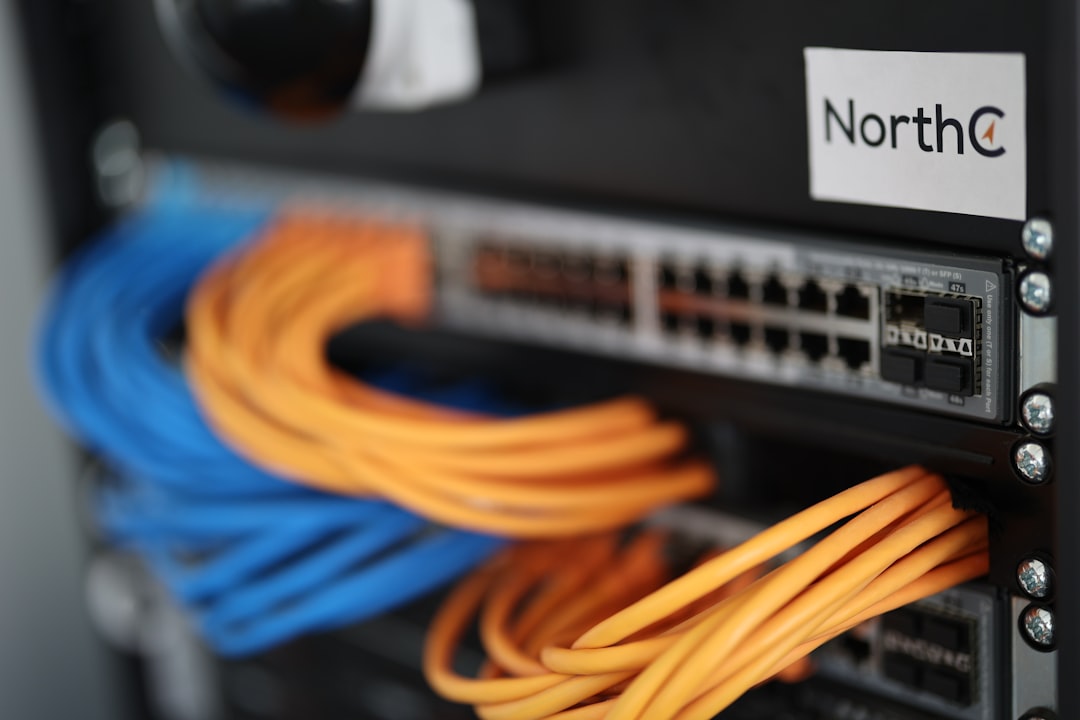
Finding the best cheap dedicated server providers is harder than it looks. Marketing pages all promise "enterprise-grade" hardware at bargain prices, but the fine print hides oversold networks, decade-old CPUs, and support queues measured in days. This guide cuts through that. You'll end up with a shortlist of providers I've actually used or benchmarked, priced under $60/month, with enough raw notes to make a confident decision without signing up for something you'll regret.
Prerequisites
Before you evaluate any provider, have these answers ready:
- Workload type — database-heavy, CPU-bound, or high-egress traffic?
- Location requirement — latency matters; pick a datacenter within 50 ms of your users.
- Minimum RAM and storage — dedicated servers are not elastic; you're stuck with what you order.
- Billing tolerance — most cheap dedicated hosts bill monthly with a setup fee; few offer hourly.
- Support expectations — budget hosts offer ticket-only support; factor in your own ops time.
What "Cheap" Actually Means for Dedicated Servers
In the dedicated server market, "cheap" means under $60/month for a single-tenant physical machine. At that price point you're typically looking at:
- CPUs: Intel Xeon E3/E5 v3–v4 generation (2013–2016 silicon), or AMD EPYC 7002 entry configs.
- RAM: 16–64 GB DDR4 ECC.
- Storage: SATA SSD or spinning NL-SAS; NVMe is rare below $50.
- Bandwidth: 100 Mbps unmetered or 1 Gbps with a traffic cap (typically 10–20 TB).
These specs are more than enough for most indie SaaS workloads, self-hosted databases under 500 GB, or game servers with under 100 concurrent players. The tradeoff is that you're on older hardware with no live migration and limited redundancy.
The Best Cheap Dedicated Server Providers Compared
Below are the providers worth your time, ordered by entry price. All prices are as of mid-2025; verify current pricing on each provider's configuration page before ordering.
1. Hetzner Dedicated (AX41 — ~$40/month)
Hetzner's dedicated line is the benchmark for budget bare metal. The AX41 ships with an AMD Ryzen 5 3600, 64 GB DDR4, and 2 × 512 GB NVMe — hardware that competes with servers costing three times as much elsewhere.
What you get:
- Location: Nuremberg or Falkenstein, Germany; Helsinki, Finland.
- Network: 1 Gbps uplink, 20 TB included traffic.
- Setup: Automated via Robot API or web UI; server is provisioned in under 60 minutes.
- IPMI/KVM: Available on request at no extra cost.
- OS reload: Automated via installimage script.
Honest tradeoffs:
- European datacenters only. If your users are in North America or Asia, add 80–150 ms latency.
- No US presence whatsoever.
- Support is ticket-only; response times average 2–4 hours during business hours.
Best for: European SaaS, self-hosted databases, CI/CD build machines, anything where raw CPU and NVMe throughput matter more than geography.
2. OVHcloud Eco (formerly So You Start) — from $35/month
OVHcloud's Eco line (previously branded "So You Start") is the go-to for North American and European coverage at sub-$40 prices. Entry configs start around $35/month for an Intel Xeon E3-1230 v6, 32 GB RAM, and 2 × 2 TB SATA.
What you get:
- Locations: Beauharnois (Canada), Roubaix/Gravelines (France), London (UK).
- Network: 500 Mbps unmetered on most Eco configs.
- Anti-DDoS: OVHcloud's VAC mitigation is included at all tiers — a genuine differentiator.
- IPMI: Included.
- OS: Automated install from a template library.
Honest tradeoffs:
- SATA storage on the cheapest configs; NVMe costs more.
- The Beauharnois datacenter covers eastern North America well, but western US latency is still 60–80 ms.
- Customer support is notoriously slow; plan to self-solve most issues.
- Hardware ages in place; you may get a server that's been in service for 3+ years.
Best for: North American workloads on a tight budget, anything that needs DDoS protection baked in, multi-region setups pairing with a Hetzner node.
3. Contabo Dedicated — from $49/month
Contabo is controversial in ops circles, but the hardware-per-dollar ratio is hard to ignore. Their entry dedicated at ~$49/month delivers an Intel Xeon E-2136, 64 GB RAM, and 2 × 1.92 TB NVMe SSD.
What you get:
- Locations: Germany, US (St. Louis, Seattle), Singapore, Japan, Australia.
- Network: 200 Mbps unmetered.
- VNC console access included.
- Competitive global footprint for the price.
Honest tradeoffs:
- Network is the weak point: 200 Mbps unmetered is fine for most apps but will bottleneck high-egress workloads.
- Support quality is inconsistent; ticket resolution can take 24–48 hours.
- Provisioning is manual on the dedicated line; expect 1–3 business days.
- No hourly billing; monthly contracts only.
Best for: Storage-heavy workloads (media, backups, object storage), teams that need Asia-Pacific or US presence at Hetzner-like prices.
4. Leaseweb Dedicated — from $55/month
Leaseweb sits slightly above the others in price but offers better network quality and a broader global footprint (US, Netherlands, Germany, Singapore, Hong Kong, Australia).
What you get:
- Entry config: Intel Xeon E-2236, 16 GB RAM, 1 × 480 GB SSD.
- Network: 1 Gbps uplink, 10 TB included bandwidth.
- IPMI: Included.
- SLA: 99.99% network uptime guarantee with financial penalties.
- API: Full server management API available.
Honest tradeoffs:
- 16 GB RAM at entry is thin; upgrading to 32 GB adds ~$10/month.
- Setup fees apply ($50–$100 depending on config).
- Not the cheapest, but noticeably more reliable network than Contabo.
Best for: Production workloads that need Asia-Pacific nodes, teams that want an SLA with teeth, or operators who've been burned by Contabo's network.
5. PhoenixNAP — from $59/month
PhoenixNAP's bare-metal cloud is the most expensive on this list but earns its place for US-West workloads. Their Phoenix, AZ datacenter is well-peered and their provisioning API is genuinely good.
What you get:
- Entry config: Intel Xeon E-2288G, 32 GB RAM, 2 × 960 GB SSD.
- Locations: Phoenix (AZ), Ashburn (VA), Amsterdam, Singapore.
- Network: 1 Gbps uplink, 10 TB bandwidth.
- BMC/IPMI: Included.
- Provisioning: API-driven, under 10 minutes.
Honest tradeoffs:
- $59/month is the floor; meaningful configs run $80–$120.
- Bandwidth overage fees are real; monitor traffic carefully.
- Smaller provider — fewer community resources and integrations than OVH or Hetzner.
Best for: US-West production deployments, teams that need fast API-driven provisioning, workloads where Phoenix-to-California latency matters.
How to Choose Between Them
Use this decision matrix:
| Need | Pick |
|---|---|
| Lowest price, EU location | Hetzner AX41 |
| North America + DDoS protection | OVHcloud Eco |
| Most storage per dollar | Contabo |
| Asia-Pacific with SLA | Leaseweb |
| US-West fast provisioning | PhoenixNAP |
If you're running a multi-region setup, the most cost-effective combination I've found is Hetzner (EU primary) + OVHcloud Beauharnois (NA replica) — total spend around $75/month for two bare-metal nodes with 20+ TB traffic each.
Verify Your Server Is Ready to Use
After provisioning, run these checks before deploying any workload.
1. Confirm CPU and core count:
lscpu | grep -E 'Model name|CPU\(s\)'
Expected output (Hetzner AX41 example):
Model name: AMD Ryzen 5 3600 6-Core Processor
CPU(s): 12
2. Verify RAM:
free -h
Expected output:
              total        used        free
Mem:            62Gi       1.2Gi        60Gi
3. Check disk layout and NVMe presence:
lsblk -d -o NAME,SIZE,ROTA,TYPE
ROTA=0 means SSD/NVMe; ROTA=1 means spinning disk.
4. Test network throughput to your target region:
curl -s https://raw.githubusercontent.com/sivel/speedtest-cli/master/speedtest.py | python3 -
Or install iperf3 and test against a known endpoint in your users' region.
5. Confirm IPMI/BMC access is reachable (provider-specific; check your control panel for the out-of-band IP before you need it in an emergency).
Troubleshooting Common Issues
Server not provisioned after 2 hours (Contabo, OVH)
Contabo dedicated provisioning is manual. Open a support ticket immediately with your order number — do not wait. OVH Eco sometimes stalls on OS installation; trigger a reinstall from the manager UI at manager.ovhcloud.com.
SSH not reachable after OS install
Check the provider's VNC/IPMI console first. A failed cloud-init or a firewall rule from the OS template is the most common cause. On Hetzner, boot into the rescue system via the Robot panel and inspect /etc/network/interfaces or /etc/netplan/.
Disk performance lower than expected
Run fio to benchmark before blaming the provider:
apt install fio -y
fio --name=randread --ioengine=libaio --iodepth=16 --rw=randread --bs=4k --direct=1 --size=1G --numjobs=4 --runtime=60 --group_reporting
If read IOPS are under 5,000 on a claimed NVMe drive, open a ticket — you may have been placed on a degraded disk.
Unexpected bandwidth overage charges
Install vnstat immediately after provisioning:
apt install vnstat -y && vnstat -i eth0
Set up a cron alert if monthly traffic exceeds 80% of your included quota.
High latency from your users
Run mtr from the server to a user-side IP to identify where the latency is introduced. If it's within the provider's network, open a ticket with the mtr output attached.
Next Steps
Once your dedicated server is provisioned and verified:
- Harden SSH: disable root login, switch to key-only authentication, move to a non-standard port.
- Set up
unattended-upgradeson Ubuntu 24.04 to keep the OS patched without manual intervention. - Configure a firewall with
ufwornftablesbefore exposing any services. - Implement off-site backups with
resticto a separate provider — never trust a single datacenter for your only copy of data. - If you're running multiple services, consider Caddy or Nginx as a reverse proxy to consolidate TLS termination on one port.
The best cheap dedicated server providers in 2025 are Hetzner for European workloads, OVHcloud Eco for North American coverage with DDoS protection, Contabo for storage-dense or Asia-Pacific needs, Leaseweb when you need a real SLA, and PhoenixNAP for US-West fast provisioning. Pick based on geography and workload first, price second — a $5/month saving that adds 100 ms of latency to every user request is not a saving.